

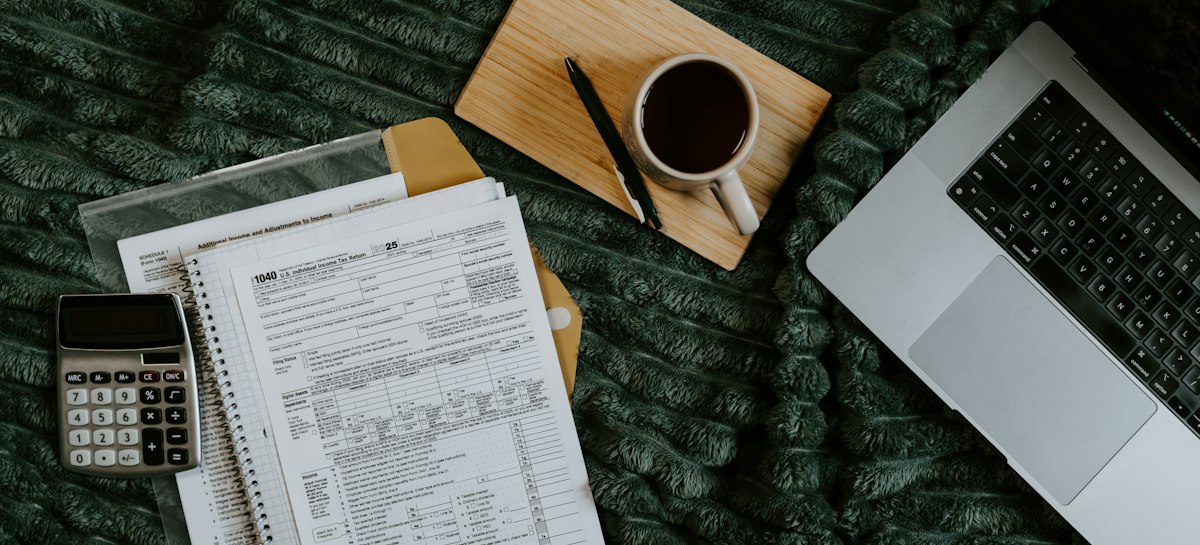
Sending your first invoice can feel strangely nerve-racking. You did the work, and now you have to ask for money in writing. What if you forget something? What if it looks unprofessional? What if the client pays late anyway?
Relax. An invoice is just a short document with a handful of required parts, and once you know them it takes five minutes. In this guide we cover what to put on an invoice, how to set payment terms that work, how tax and discounts fit in, and a few habits that get you paid faster. We finish with a worked example you can follow.
What an invoice is, and why it matters
An invoice is a document you send to a client that says: here is what I did or sold, here is the price, and here is how and when to pay me. It is a request for payment, and it is also a record. Both you and your client use it for accounting, and tax authorities may ask to see it.
A good invoice does three jobs. It makes it easy for the client to approve the payment, because everything they need is on the page. It protects you if there is a dispute, because it shows what was agreed. And it keeps your own books in order, so tax time is far less painful.
What every invoice should include
The exact rules differ by country, but these parts appear on almost every good invoice.
- The word invoice, clearly at the top, so nobody mistakes it for a quote or a receipt.
- Your business name, address, email and phone number, plus your logo if you have one.
- Your tax or VAT number, if you are registered. Some countries require it on every invoice.
- The client's name or company name and their billing address.
- A unique invoice number. Use a simple running sequence like 0001, 0002, 0003.
- The issue date, and the due date or the payment terms.
- A clear description of each item or service, with the quantity, the price per unit and the line total.
- Subtotal, any discount, tax shown separately, and the final total due.
- Your payment details, such as your bank account, a payment link or the name a cheque should be written to.
- Any notes, such as a reference or purchase order number from the client.
That list covers the legal and practical needs of most small businesses. If you work in a regulated field or sell across borders, check what your tax authority asks for, since some demand extra details on the invoice.
Invoice numbers: simple, but important
Every invoice needs a number that is unique, so you and your client can refer to it without confusion. The usual approach is a running sequence. Your first invoice is 0001, the next is 0002, and so on. Some people add the year, such as 2026-001, or a client code.
Two rules keep you out of trouble. Never reuse a number, even if you cancel an invoice. And avoid gaps without a reason, since tax authorities in some countries expect a continuous sequence. If you make a mistake, issue a credit note and a new invoice instead of editing the old one.
If you are just starting, do not worry about looking too small. Beginning at 0001 is perfectly normal, and some people start at 1001 so that they do not look new. Either is fine as long as you stay consistent.
Payment terms that actually work
Payment terms say when you expect to be paid. Common choices are payment on receipt, within 7 days, within 14 days or within 30 days. Longer terms help the client's cash flow but hurt yours. For small jobs and new clients, shorter terms are reasonable.
Write the due date as an actual date, for example 20 October 2026, and not only as 14 days. A real date leaves no room for argument. Also state what happens if payment is late. Many freelancers include a line such as a late fee of a small percentage per month, or interest as allowed by local law. You do not have to charge it, but mentioning it encourages timely payment.
For larger projects, think about asking for a deposit or splitting the price into stages. A 50% deposit to start and the balance on delivery protects you from doing a lot of work for nothing.

A worked example
Suppose you are a designer. You worked 10 hours at 85 an hour, charged a setup fee of 450, and did three revision rounds at 120 each. You agreed a 5% discount for a repeat client, and you charge 8% sales tax.
The invoice would show three lines: design work, 10 × 85 = 850; project setup fee, 1 × 450 = 450; revision rounds, 3 × 120 = 360. The subtotal is 1,660.
Then the discount: 5% of 1,660 is 83, so the amount after discount is 1,577. Tax at 8% on that is 126.16. The total due is 1,703.16.
Notice that the tax is shown on its own line, and the discount is shown too, so the client can follow every step. You can try this exact example in the invoice generator by pressing the fill-with-sample button, then change any number to see the total update.
Tax on invoices: sales tax, VAT and GST
If you are registered for a sales tax, VAT or GST, you normally have to show it on the invoice and pass it on to the tax authority. If you are not registered, you generally do not charge it. Rules, rates and registration limits differ by country and change over time, so check what applies to you.
A few good habits help everywhere. Show the tax rate and the amount on a separate line. Put your tax registration number on the invoice if you have one. And if you charge different rates on different items, make clear which items carry which rate.
If you sell goods or services where the rate is a percentage of the price, our sales tax calculator helps you work out the tax and the total quickly.
Seven habits that get you paid faster
A well-written invoice is half the job. The rest is how you send it and follow up.
- Send it the day the work is finished, while the value is fresh in the client's mind.
- Send it to the person who approves payments, not only to your day-to-day contact.
- Offer an easy way to pay, such as a bank transfer with the details on the invoice, or a payment link.
- Put a real due date on it.
- Use a clear subject line, for example Invoice 0007 from Blue Door Studio, due 20 October.
- Send a polite reminder the day it becomes overdue, and a firmer one a week later.
- Keep your invoices tidy and consistent, because clients trust and pay professional-looking documents faster.
If a client is slow to pay, stay calm and keep the tone friendly. Most late payment is forgetfulness, not bad faith.
How to send and save your invoice
The most common format is a PDF, because it looks the same on every device and cannot be edited by accident. Create the invoice, choose print, and save it as a PDF. Then attach it to an email, or share a link.
If the PDF is large, because of a logo or scanned attachments, you can shrink it with a PDF compressor before sending, so it does not bounce from a mailbox with size limits.
Always keep a copy. Tax authorities usually require you to keep invoices for a set number of years, often six or seven, though it varies by country. A simple folder with one PDF per invoice, named with the number and the client, is enough for most small businesses.
Common invoice mistakes
These small slips cause the most delays.
- No invoice number, or a duplicate number.
- A vague description such as services, instead of saying what was done.
- Forgetting payment details, so the client has to ask.
- Missing the due date or using unclear terms.
- Adding tax on the wrong amount, or leaving it off when it applies.
- Sending it to the wrong person or an old email address.
- Editing an invoice you have already sent, rather than issuing a corrected one.
Fixing these takes a minute, and avoiding them saves days of back-and-forth.
Should you send a quote first?
For anything bigger than a small job, yes. A quotation tells the client the price before you start, so there are no surprises at the end. Once they accept, the invoice simply follows the quote. We cover how to write one in our guide on how to write a quotation, and you can build one with the free quotation maker.
What to do when an invoice is paid late
Even with a perfect invoice, some clients pay late. How you respond matters, both for getting the money and for keeping the relationship.
Start with a friendly reminder the day after the due date. Assume it was an oversight. Attach the invoice again and give the amount, the invoice number and your payment details. A surprising number of invoices are paid within hours of a short reminder.
If a week passes with no reply, send a firmer message and offer to help. Ask whether there is a problem with the invoice, since a missing purchase order number or a wrong address is a common reason for a stalled payment. Try a phone call as well, because a person is harder to ignore than an email.
If it drags on, point to your written terms, including any late fee or interest you stated. Many countries have rules on late payment between businesses, so look up what applies where you are. As a last step you may stop further work until the account is cleared, or take advice about formal recovery. Keeping a clear paper trail makes every one of these steps easier.
Recurring work, deposits and credit notes
Some jobs repeat every month. For a retainer or a subscription, keep the same layout and change only the number, the date and the period covered. Say what the period is, for example work done in October, so there is no doubt about what the invoice covers.
Deposits and stage payments work well for larger projects. You can send an invoice for the deposit first, then an invoice for the balance on delivery, and show the deposit already paid so the client sees a clear remaining amount.
If you get something wrong after sending, do not edit and resend the same invoice. Issue a credit note that cancels the original, then send a new invoice with a new number. It looks tidy to the client and keeps your records honest.
Questions people ask
What should be on an invoice?
How do I number my invoices?
What payment terms should I use?
Do I need to charge tax on my invoice?
Is the free invoice generator really free with no sign-up?
How long should I keep invoices?
Sources and further reading
Create your documents with free tools
No sign-up, and nothing is uploaded. Everything stays in your browser.
Free Invoice Generator
A free invoice maker with no signup. Pick a style, add items, print or save as PDF.
FreeFree Quotation Maker
Make a clean price quote in minutes, with live preview, templates and PDF. No sign-up.
FreeSales Tax Calculator
Add sales tax or VAT to a price, or take it out of a total.
FreeCompress PDF
Make a PDF smaller so it is easy to email or upload.
Disclaimer
This invoice maker is a general tool and not legal, tax or accounting advice. Invoice rules, tax numbers and required wording differ by country and business, so check what applies to you. You are responsible for the accuracy of what you issue. Nothing you type is sent to us. You use this tool at your own risk, and TheFreeTool is not liable for any loss that follows. Read the full disclaimer